








Step-by-Step Guide on Website Building, Analytics, Contact Forms, and Email Newsletters
Entry 2:2
Since we’ve been diving into all things branding lately, it’s only right I show you how to get your website up, running, and totally boss-ready!
If you’ve been dreaming of a website that works as hard as you do, today’s your lucky day. I’m walking you through
- How to build a website for your business
- Connect Google Analytics to track your growth
- Create a contact form and email newsletter with Kit that actually works
By the end of this post, you’ll have a polished, functional online HQ that radiates your brand and professionalism.
This isn’t just about looking cute online. It’s about building a website for your business that:
- Generates leads
- Builds connections
- Keeps your audience coming back
This is your digital storefront, lead generator, and 24/7 employee.
Let’s dive in.
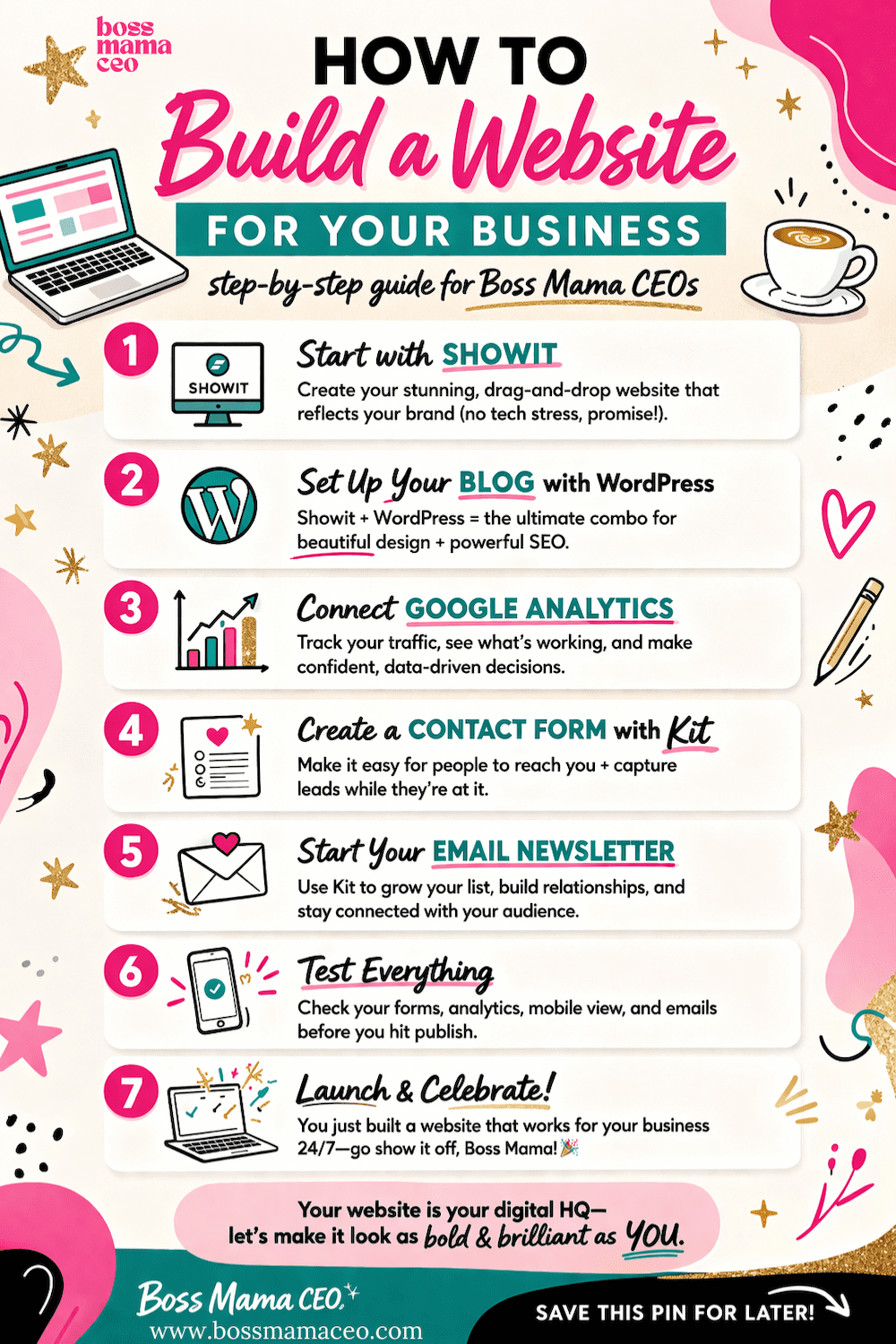
Step 1: Build a Website for Your Business with Showit
First things first…you need a home base online. And if you want something that’s both beautiful and beginner-friendly, Showit is where it’s at.
Showit gives you full creative control with drag-and-drop design (aka no tech headaches 🙌), which makes it perfect for boss mamas who want a website that actually looks and feels like their brand.
When I rebranded my first business, switching to Showit was a no-brainer. I had been eyeing it for a while, and the second I made the move, I was like… why didn’t I do this sooner?!
And when I launched Boss Mama CEO? Oh, I didn’t even hesitate. I went right back to Showit.
✨ Their templates are FIRE.
✨ The platform is super user-friendly (even if you’re not “techy”).
✨ And their customer support is truly unmatched. They’ve got your back when you need it.It’s one of those investments that just makes everything feel easier, smoother, and way more aligned with the brand you’re building. And we love that for us 💅.
Here’s how to get started:
- Sign up for Showit – This is your digital HQ. Choose a plan that fits your business stage and gets you up and running.
- Choose your template (free or paid!) – You can start with one of Showit’s free templates or invest in a professionally designed one. Either way, this is your shortcut to a stunning site without starting from scratch.
- Make it yours – Once your template is loaded, customize it to match your brand. Swap colors, update fonts, and plug in your content. Think of it as your website glow-up moment ✨
- Add your core pages – Home, About, Services/Products, and Contact are your must-haves to start strong.
- Customize your branding – Upload your logo, apply your brand colors and fonts, and add images that bring your business personality to life.
Tip: Don’t get stuck in perfection mode. The goal is to build a website for your business that is clear, functional, and easy to navigate. You can always refine later.
💡 On a budget? Platforms like Wix are a great alternative if you’re just getting started and want something more affordable while still looking polished.
Now that your website is built, it’s time to get that blog connected!
Step 2: Set Up Your Blog with WordPress (Through Showit)
If blogging is part of your strategy (and it should be if you want traffic 🙌), here’s something important to know:
Showit handles your website design, but your blog runs on WordPress behind the scenes. That means you get the best of both worlds. Beautiful design + powerful SEO capabilities.
Here’s how to set it up:
- Access WordPress through Showit – When you sign up for Showit, they automatically set up your WordPress blog for you (no separate hosting needed).
- Log into your WordPress dashboard – You’ll access this directly from your Showit account.
- Choose a blog layout in Showit – Your blog design (how posts look) is created inside Showit, not WordPress. This is where you style your blog pages, category pages, and post templates.
- Create your first blog post in WordPress – Go into WordPress, click “Add New Post,” and start writing. This is where your actual content lives.
- Organize with categories and tags – This helps with SEO and makes your content easier for visitors to navigate.
Why this matters:
Blogging is one of the most effective ways to build a website for your business that brings in organic traffic. Each post is another opportunity for someone to find you through search engines.
Boss tip: Don’t overcomplicate it. Start with 1 post per week or even 2 per month. Consistency beats perfection every single time.
Step 3: Connect Google Analytics
Now that your site is live, let’s make sure you actually know what’s happening on it.
Google Analytics helps you track:
- How many people visit your site
- Where they’re coming from
- What pages they’re spending time on
Here’s how to set it up:
- Create an account at Google Analytics
- Set up a property for your website
- Copy your tracking ID (looks like G-XXXXXXXXXX)
- Add it inside Showit’s custom code or integration settings
Once connected, you’ll start collecting real data about your audience. And that’s how you make smart CEO-level decisions instead of guessing.
Step 4: Create a Contact Form with Kit
Now let’s make sure people can actually reach you.
Instead of using basic forms that just sit on your site, Kit allows you to create forms that capture leads and connect directly to your email list.
Here’s how to do it:
- Create a form inside Kit
- Add fields like name, email, and message (keep it simple!)
- Customize the design to match your brand
- Embed the form onto your Showit Contact page
Now instead of just getting messages, you’re building your email list at the same time. That’s a boss mama move.
Step 5: Start Your Email Newsletter with Kit
If you’re building a website and not collecting emails, we need to fix that ASAP.
Your email list = your audience that you own.
No algorithms, no guessing.
Here’s how to get started with Kit:
- Create a signup form (this can be the same or separate from your contact form)
- Embed it on key pages: homepage, blog posts, or a pop-up
- Create your first email (keep it simple and welcoming)
- Set up a welcome sequence (2–3 emails introducing your brand and offers)
Now your website isn’t just sitting there. It’s actively growing your audience and nurturing potential clients.
And that’s exactly what it means to build a website for your business with intention.
Step 6: Test Everything (Don’t Skip This!)
Before you officially launch, do a quick CEO-level check:
- Submit your contact form → did it go through?
- Sign up for your email list → did you receive the emails?
- Check Google Analytics → is it tracking?
- View your site on mobile → does it look clean and easy to use?
This step ensures everything is working before your audience starts showing up.
Step 7: Launch and Grow 🚀
You did it!
You’ve officially built a website for your business that’s not just pretty, but strategic.
You now have:
✔ A branded website (Showit)
✔ Data tracking (Google Analytics)
✔ Lead capture system (Kit forms)
✔ Email marketing foundation (Kit newsletters)
That’s not just a website. That’s a business engine.
Boss Mama CEO Quick Tips
- Keep your navigation simple (don’t overwhelm visitors)
- Use clear calls-to-action (tell people what to do next)
- Add testimonials as you grow
- Keep showing up/ Your website gets stronger with consistency
Final Thoughts
Learning how to build a website for your business doesn’t have to be overwhelming. When you break it down into these steps (platform, data, forms, and email) you’re creating something powerful, sustainable, and scalable.
And the best part is, once it’s set up, it keeps working for you behind the scenes while you run your business (and your life).
Now go launch that website, Boss Mama. Your brand deserves to be seen. 💻✨
Here’s to all the incredible Moms juggling a million things—keep shining bright, cheering each other on, and building the life you love!
Xoxo,
Ashley
Friendly Note: I’m simply sharing my journey, experiences, and lessons learned as a Mom in business. This isn’t legal, financial, or professional advice. Always check with a qualified pro for guidance tailored to you.
Tell me more!
Think of it as a business brainstorming sesh meets coffee date with your new biz bestie! Whether we're chatting in person or virtually, we'll sip, strategize, and spark ideas to bring your vision to life during these creative jam sessions.
It's all about turning your passion into a profit and creating actionable steps to launch that thang - because let's be honest, your dream biz isn't going to launch itself! So grab a drink of whatever fuels your fire, and let's get started.
Coffee.Chat.Create.
Connect, create & launch

Your email will not be shared with anyone. No spam, promise!
Sign up for the newsletter and receive my FREE business startup checklist packed with everything you need to get your business off the ground. Plus, you'll join a community of powerhouse women who are turning passion into profit without sacrificing nap time, school runs, or their sanity! Each week, you’ll get fun, practical tips to help you grow your business, juggle all the things, and thrive in both motherhood and entrepreneurship. Because we’re not choosing either/or - we’re doing both and making it look damn good!
Get your FREE business startup checklist!

The
Quick-Start Mompreneur Business Startup Checklist
connect, create & launch

"The checklist makes starting a business feel clear and doable instead of overwhelming. It keeps you focused, organized and moving forward without the stress of trying to figure everything out all at once!"
Rachel F.
about the business startup checklist

Paris L.
"I spent countless hours trying to figure out what I needed to do to start my own business. I tried building out a checklist. It was all just very overwhelming. Then a friend told me about Boss Mama CEO's checklist and all I can say is, I wish I had known about this sooner. Run don't walk to grab this checklist!"

click to Read & Leave a comment
Click to close comments
Comments